Download the Flekh plugin
for your editor.
Included in Essential and Pro, at no extra cost. Install the plugin, sign in to Flekh from your browser, and your client’s notes land on your timeline as markers.

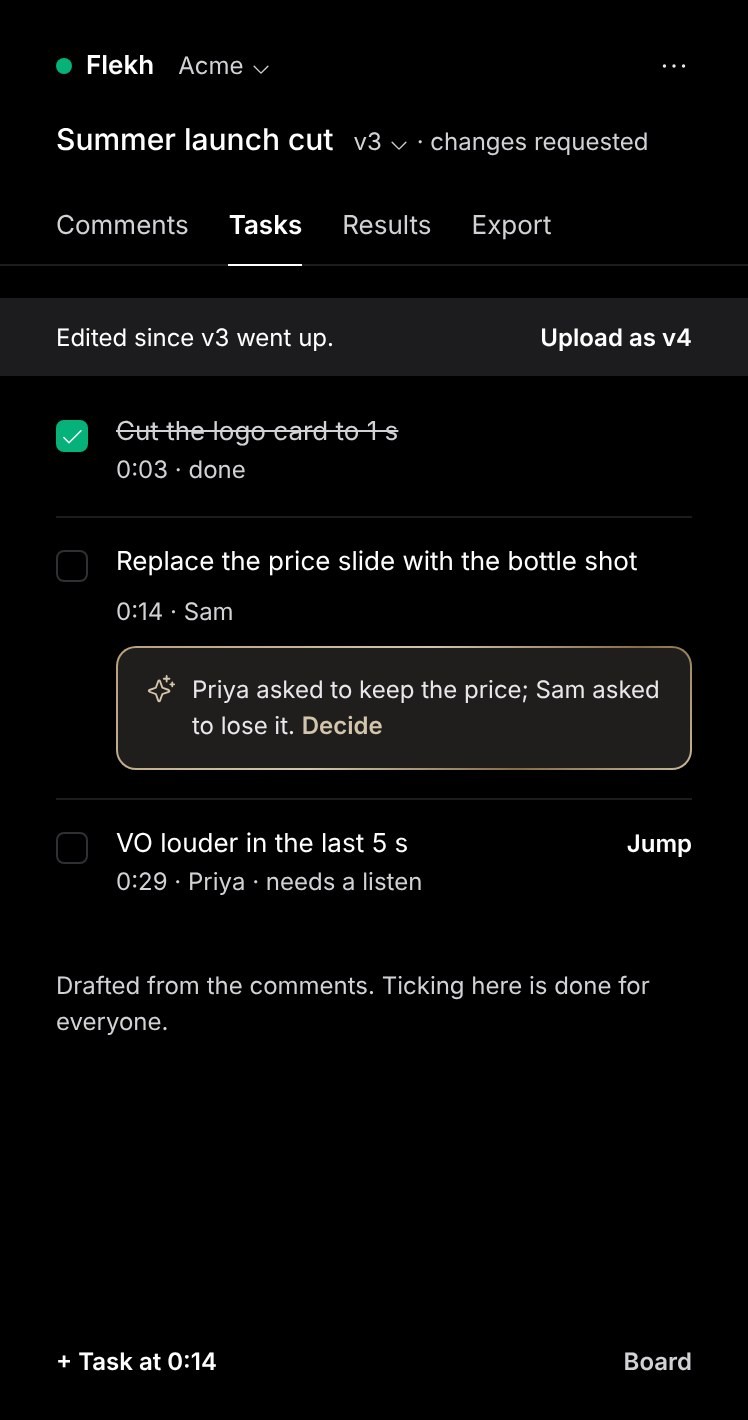
Comments, tasks and the next upload, in a panel next to your timeline.
Studio blocks the Marketplace? Download the .ccx file instead.- Version
- [1.0.2] · [Oct 20]
- Needs
- Premiere Pro 25.6 or later
- Open it
- Window›UXP Plugins›Flekh
How to install the Flekh plugin. Three steps.
No keys, no settings. The plugin signs in to Flekh through your browser and opens the projects you already have.
Get Flekh from Adobe Marketplace, or download the .ccx file here and double-click it. Creative Cloud installs it.
Restart Premiere Pro, then open Window › UXP Plugins › Flekh. Dock the panel next to your timeline.
 Signed in as Sam · Acme Studio
Click Sign in. In Premiere Pro the panel shows a short code: approve it in your browser. Resolve and Final Cut open the sign-in page for you. Your projects, comments and tasks are there.
Check once. Then forget it.
Every plugin is included in Essential and Pro. Here is what each editor needs before you install.
Five snags. Five short fixes.
Pick what you see on the left. The fix is on the right, step by step.
- Quit the editor completely, not just the project.
- Open it again and open any project.
- Premiere Pro: Window › UXP Plugins › Flekh. Resolve Studio: Workspace › Workflow Integrations › Flekh. Final Cut Pro: the Extensions button.
 Still stuck? Email the founder →
Add the Flekh MCP link to Claude, ChatGPT, Cursor or Codex. No download.
https://mcp.flekh.com/mcpCopy linkHow it works →